Pixlio AI
Use the tool below to create your AI professional headshot instantly.

AI Professional Headshot Generator — Create LinkedIn-Ready Photos with Pixlio
Need an AI professional headshot without booking a photography studio? Pixlio AI professional headshot generator transforms any casual portrait into a polished corporate photo in seconds. Simply upload your image, choose your business attire and backdrop preferences, and let the AI create a studio-quality professional headshot that preserves your natural identity. Whether you're updating your LinkedIn profile, preparing for job applications, or standardizing team photos, our AI professional headshot tool delivers consistent, high-quality results with minimal effort. The technology maintains your exact face, expression, and unique features while dressing you in tailored business attire against a clean studio backdrop.
Why Choose Pixlio AI Professional Headshot
Creating a professional headshot traditionally requires expensive studio sessions and scheduling hassles. Pixlio's AI professional headshot generator eliminates these barriers, delivering corporate-ready photos from your existing portraits. Our technology focuses on authenticity—your face stays exactly as it is while your presentation transforms to match professional standards.
Identity-Preserving AI Technology
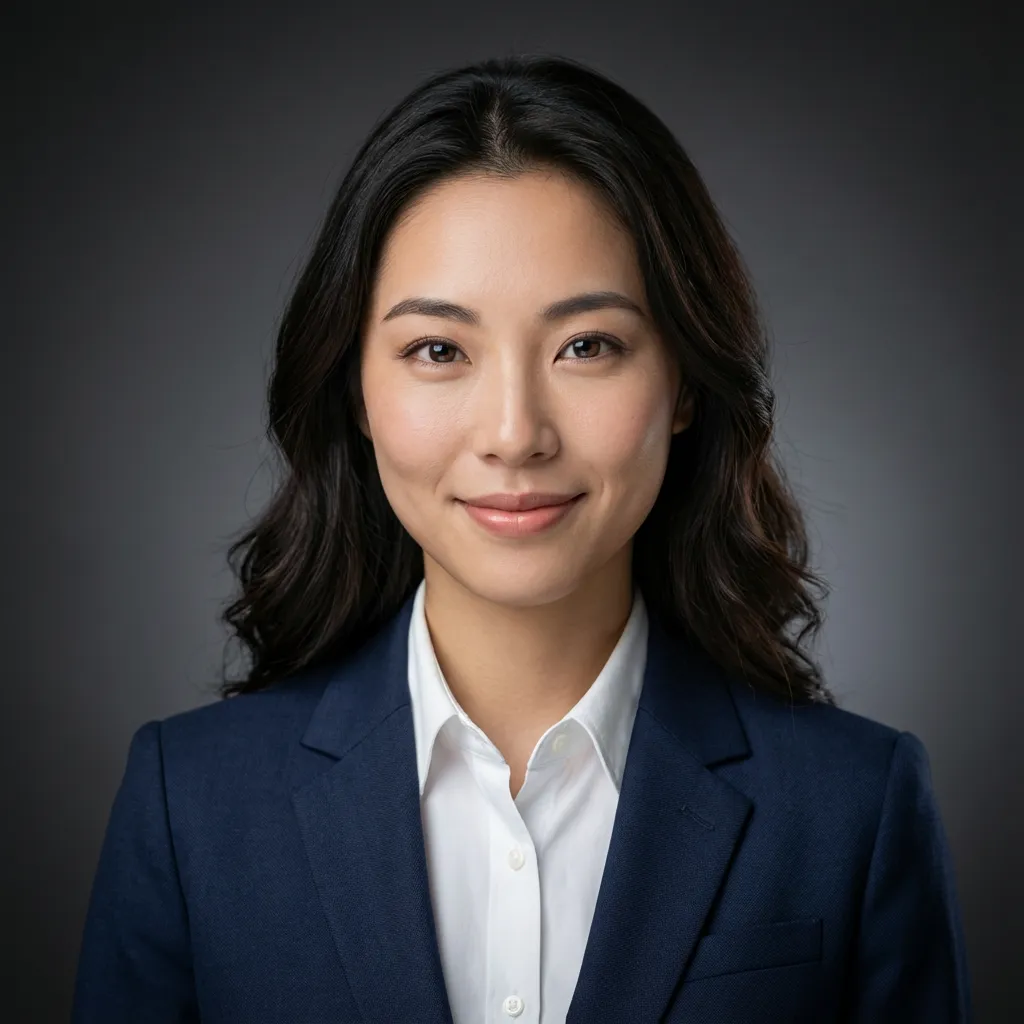
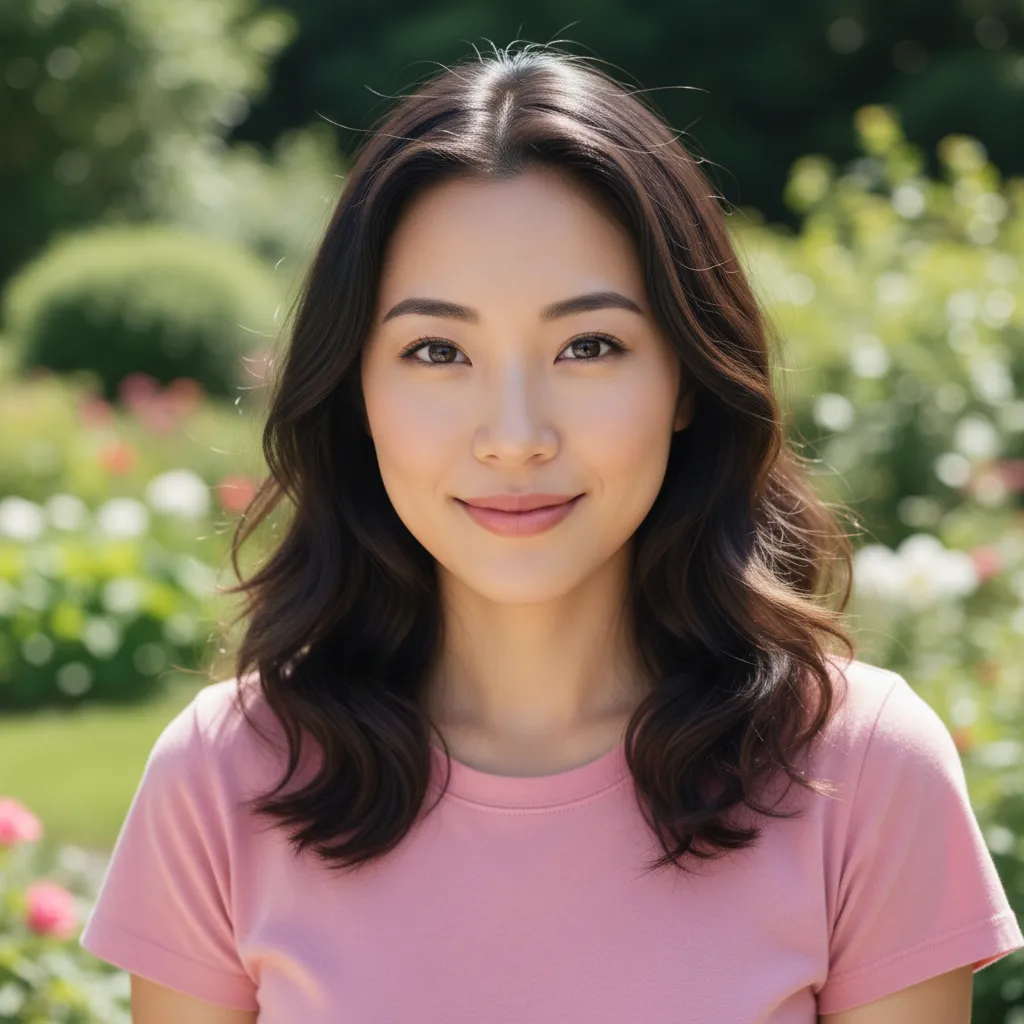
The most important aspect of any professional headshot is authenticity. Pixlio's AI professional headshot generator is engineered to preserve everything that makes you recognizable—your face shape, skin texture, age, ethnicity, hairstyle, and expression remain completely unchanged. Unlike basic photo filters that smooth skin artificially, our technology maintains natural pores and fine details for realistic results. Pixlio AI focuses exclusively on transforming your clothing and background while keeping your unique identity intact. This means colleagues, recruiters, and clients will recognize the real you in your professional headshot.
Customizable Business Attire and Backdrops
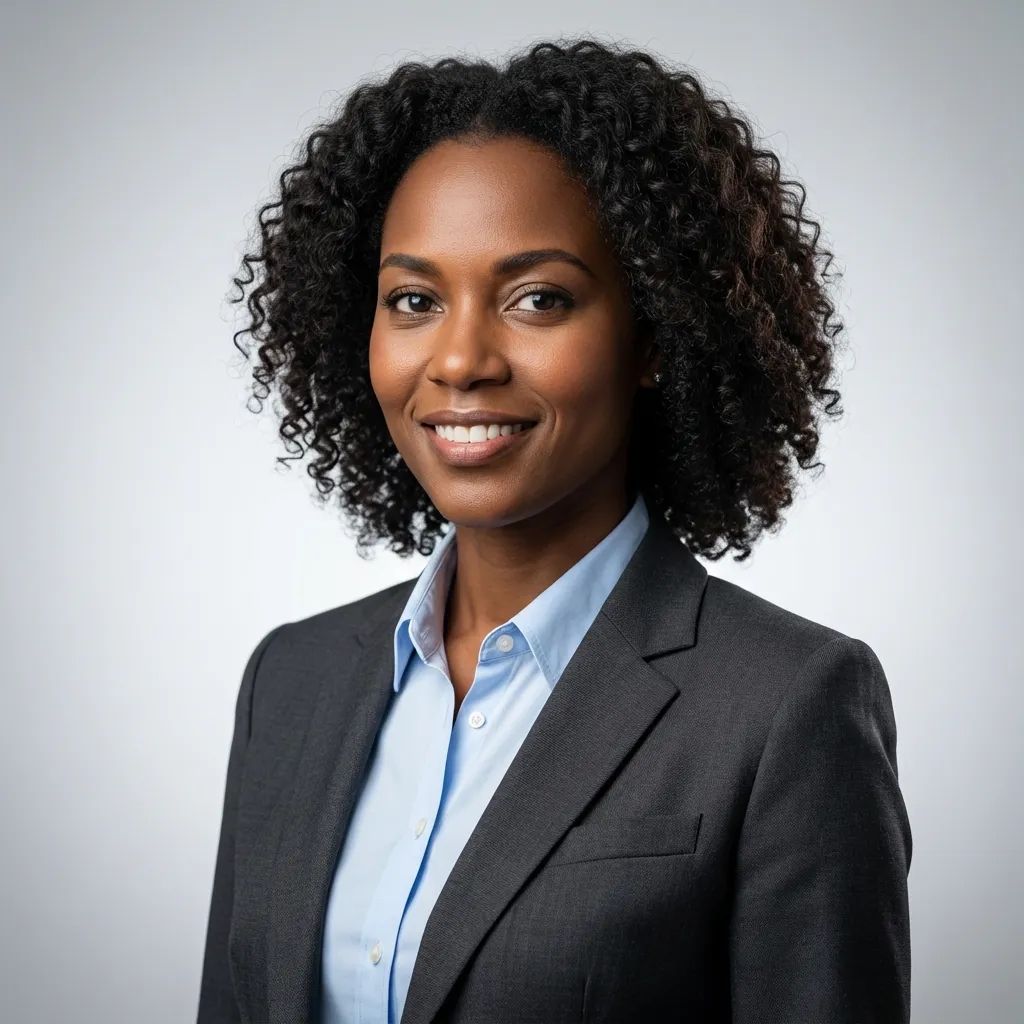
Every industry and role has different professional standards. Pixlio's AI professional headshot tool offers structured customization options so you can match your corporate environment perfectly. Select from classic suit options including navy wool, charcoal, black, and light gray—all rendered as tailored, professional-grade attire. Pair your suit with shirt colors ranging from crisp white to light blue, light pink, or cream. Complete your look with studio backdrop options including dark gray, light gray, navy, or black. These combinations ensure your AI professional headshot aligns with your industry's expectations while maintaining a cohesive, polished appearance.

Studio-Quality Lighting and Composition
Professional photography studios achieve their distinctive look through careful lighting setups and composition techniques. Pixlio's AI professional headshot generator replicates these elements digitally. Each generated headshot features soft three-point lighting with gentle shadows and subtle rim lighting on hair and shoulders—the signature of high-end portrait photography. Pixlio AI creates shallow depth of field effects that keep you sharp while softly blurring the background, mimicking results from premium 85mm portrait lenses. Natural catchlights appear in your eyes, adding life and engagement to your professional headshot. The result matches what you'd expect from an expensive studio session.
How to Create Your AI Professional Headshot in 3 Steps
Generating a polished professional headshot takes less than a minute with Pixlio. Pixlio AI professional headshot generator streamlined process ensures anyone can create LinkedIn-ready photos without design skills or expensive software. Follow these simple steps to transform your portrait.
Who Benefits from AI Professional Headshots
From job seekers to corporate teams, a polished professional headshot opens doors and builds credibility. Pixlio's AI professional headshot generator serves diverse needs across industries, delivering consistent quality whether you need one photo or want to standardize an entire team's visual identity.
Job Seekers and LinkedIn Users
Your LinkedIn profile photo creates the first impression with recruiters and hiring managers. An AI professional headshot positions you as polished and prepared without the expense of a photography session. Job seekers refreshing their profiles before applications can quickly generate corporate-ready photos that convey competence and professionalism. Sales professionals, consultants, and founders also benefit from updated headshots that reflect their current role and brand positioning. With Pixlio, you can test different suit and backdrop combinations to find the perfect look for your industry.
Corporate Teams and HR Departments
Standardizing employee headshots across company websites, directories, and internal communications typically requires coordinating expensive photo sessions. Pixlio's AI professional headshot tool enables HR departments and marketing teams to achieve visual consistency without scheduling complexity. Each team member can generate their own headshot using the same attire and backdrop settings, ensuring a cohesive look across all corporate materials. Remote teams especially benefit from this approach—employees can create matching professional headshots from anywhere.
Portfolios, Resumes, and Professional Profiles
Beyond LinkedIn, professional headshots appear on resumes, personal websites, speaking engagement profiles, conference badges, and publication bios. Having a versatile AI professional headshot ready for these contexts ensures you always present your best self. Freelancers, authors, speakers, and consultants can maintain updated photos without repeated studio visits. Generate variations with different attire for different contexts—a navy suit for corporate consulting, charcoal for creative industries. Your professional headshot becomes a flexible asset for building your personal brand.
AI Professional Headshot: Common Questions
How does the AI professional headshot generator work?
Upload any portrait photo and select your preferred business suit, shirt color, and studio backdrop. Pixlio's AI analyzes your image, preserves your face and unique features, then generates a professional headshot with your chosen styling. The technology uses advanced image-to-image processing to transform clothing and background while maintaining your authentic identity.
Is this AI professional headshot tool free?
Yes, Pixlio provides free credits when you sign up, allowing you to create AI professional headshots immediately. Each headshot generation uses a certain number of credits. You can see the estimated cost before generating. Additional credits are available through affordable subscription plans if you need more generations.
What photo formats and sizes are supported?
The AI professional headshot generator accepts JPG, JPEG, PNG, and WebP image formats. Maximum file size is 10MB. For optimal results, use a clear portrait photo where your face is visible without significant obstructions. Front-facing and three-quarter angle photos work best.
Can I customize the suit and backdrop colors?
Absolutely. Choose from four suit options: navy wool, charcoal, black, or light gray. Pair with shirt colors including white, light blue, light pink, or cream. Select studio backdrops in dark gray, light gray, navy, or black. These structured options ensure professional results while giving you creative control over your headshot's appearance.
Will the AI change my face or alter my features?
No. Pixlio's AI professional headshot technology is specifically designed to preserve your exact face, age, gender, ethnicity, hairstyle, expression, and unique facial features. The AI only transforms your clothing and background. Natural skin texture including pores and fine details remains intact—no artificial smoothing or beauty filters are applied.
What is the difference between Nano Banana and Nano Banana Pro?
Nano Banana is the default AI model available to all users. Nano Banana Pro is our premium model that delivers enhanced quality and finer detail preservation in your professional headshot. Nano Banana Pro requires an active subscription to use, while Nano Banana works with standard credits.
How long does it take to generate an AI professional headshot?
Most generations complete within seconds. Upload your photo, select your customization options, and click Generate. The AI processes your image quickly, delivering your professional headshot almost instantly. You can then download immediately or adjust settings and regenerate.
Can I use my AI professional headshot commercially?
Pixlio creates outputs suitable for professional and business use including LinkedIn profiles, corporate websites, resumes, and marketing materials. Review your specific plan details and our Terms of Service for complete information about usage rights.
More AI Image Tools
Explore our collection of AI-powered image tools designed for different creative needs and styles