 Pixlio AI
Use the tool to preview realistic hair color changes on your selfie before dyeing.

Your Perfect Shade with Pixlio AI Hair Color Changer - Virtual Hair Color Try-On
Upload a selfie, choose a shade family or enter any custom color, and try on hair color in seconds on your own photo. Your face and hairstyle stay intact—only the color changes. Export a shareable decision card for your stylist or friends before you commit.
What Makes Pixlio AI Hair Color Changer Worth Trusting
Most online color-preview tools produce flat overlays that look nothing like real dye on real hair. Pixlio is built around trust and accuracy—realistic enough to help you commit to a shade with confidence, not just play with a novelty filter you would never take seriously.
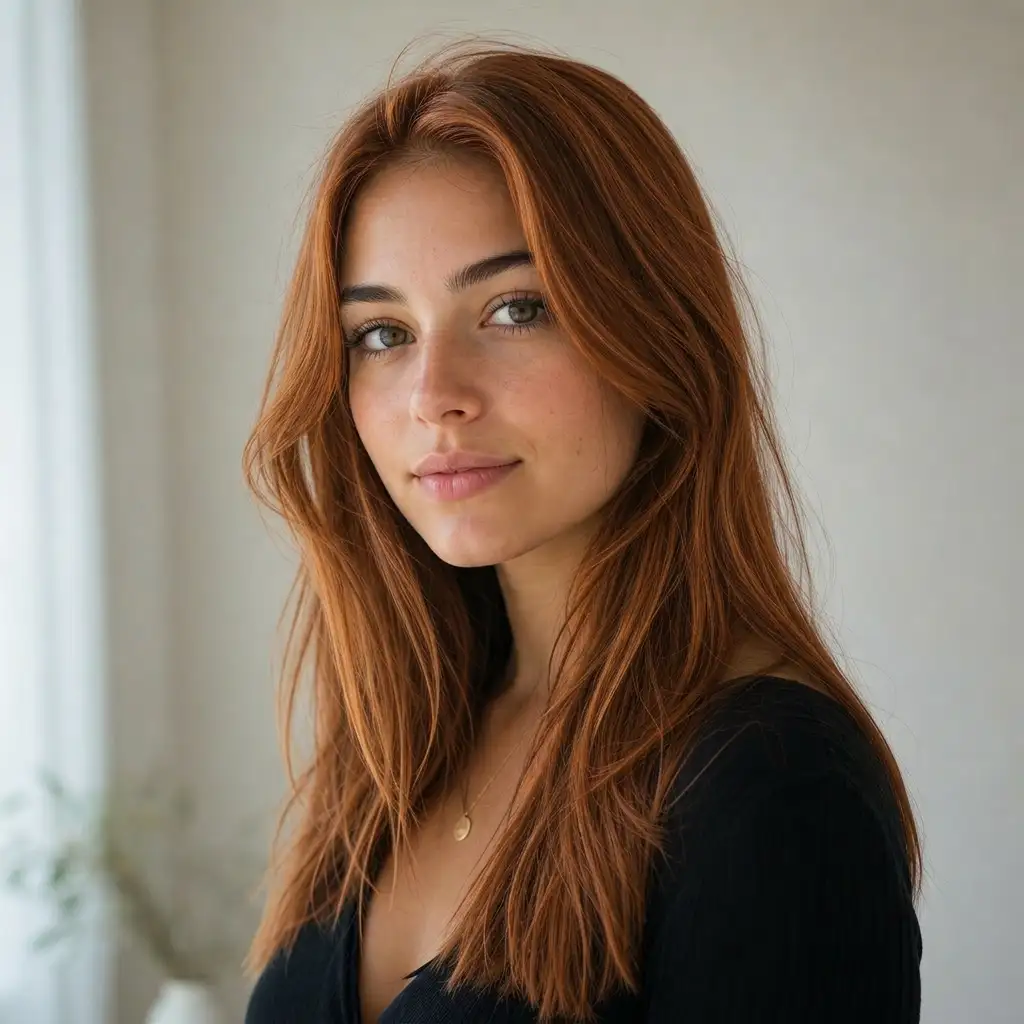
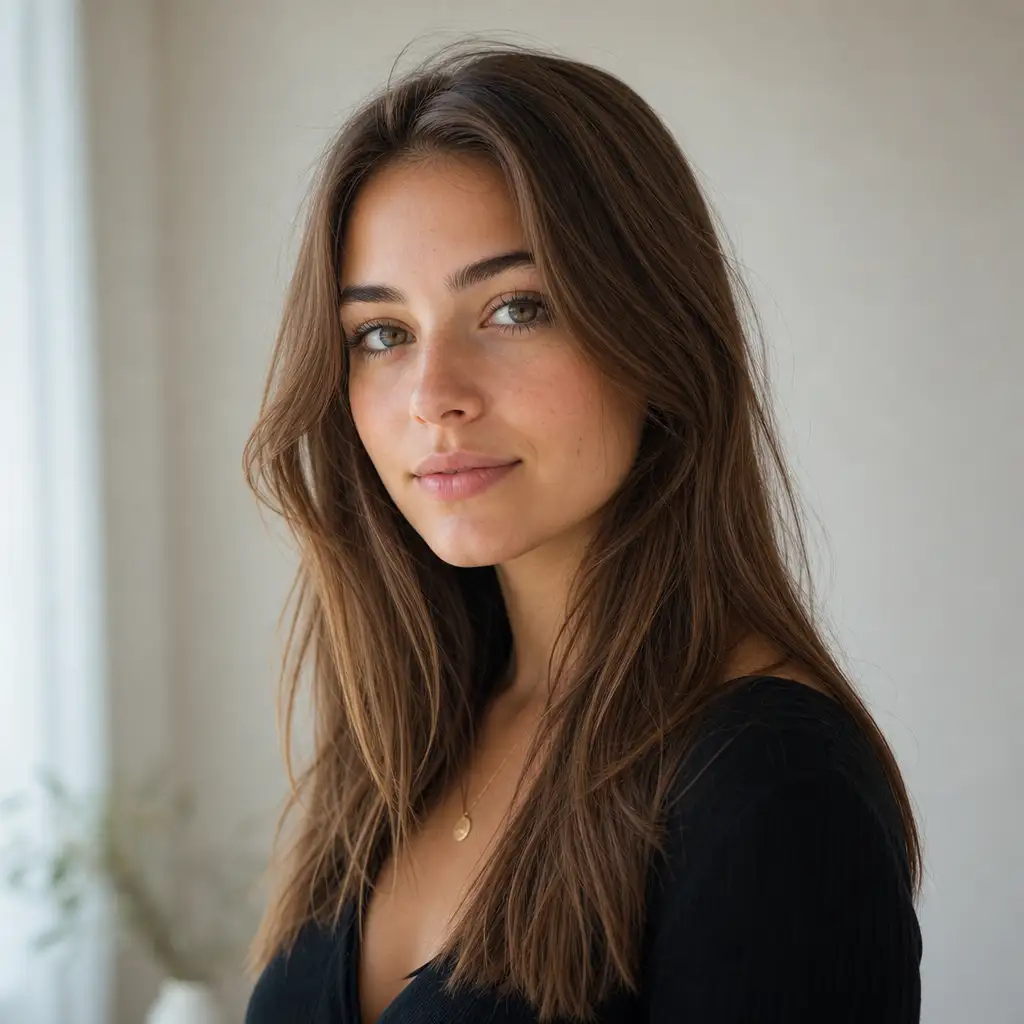
See a Believable Color Preview on Your Own Photo
You want to try on hair color and know what copper or ash blonde actually looks like on your hair—not on a stock model with studio lighting and professional retouching. Pixlio preserves your face, skin tone, hairstyle, lighting, and overall composition while applying only the color you chose. The before-and-after decision view places your original photo side by side with the preview so you can judge the change honestly and see exactly what is different. Every preview keeps the same aspect ratio, framing, and background as your upload, which means the comparison is direct, fair, and impossible to misinterpret. If the result does not feel right, adjust the shade or refine the hair mask and regenerate until you are satisfied with the direction you want to take.
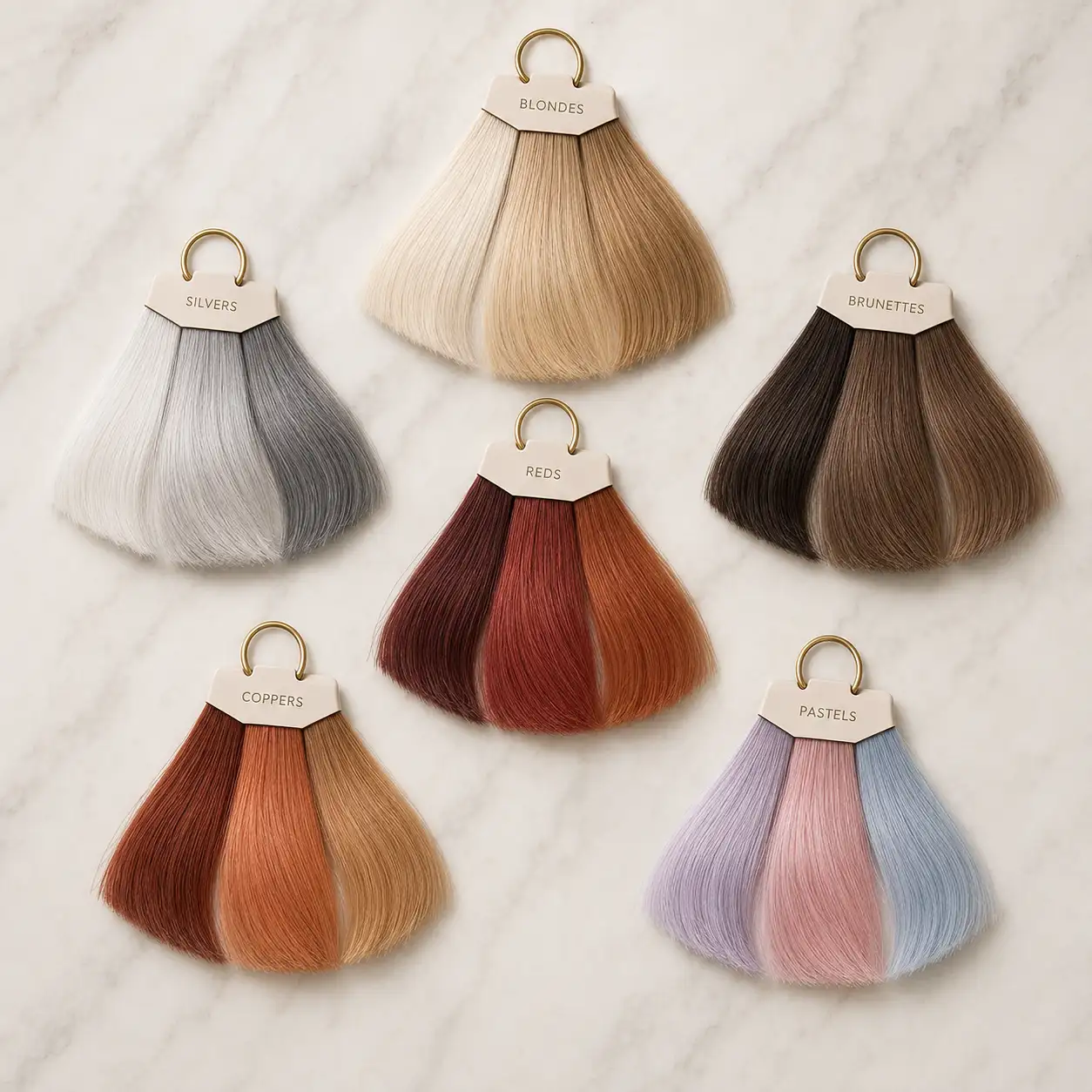
Pick from Curated Shade Families Instead of Writing Color Prompts
Not everyone thinks in hex codes or professional dye-brand shade IDs—and you should not have to. Pixlio offers organized shade families—blonde, brunette, red and auburn, copper, pastel, vivid, gray and silver, warm, and cool—with named suggestions inside each family. Choose something like warm copper brown or cool ash blonde in plain, everyday language and instantly see what direction the tool will take. Helpful popovers explain how each selection affects the generated preview so you always understand what you are choosing before you commit a generation. Prefer full control? Enter a short text description like soft strawberry blonde, pick a color swatch from the palette, or upload an inspiration image you found online. The tool treats these custom references as an alternative path to the same preview, not a complex secondary workflow requiring extra steps or technical knowledge.
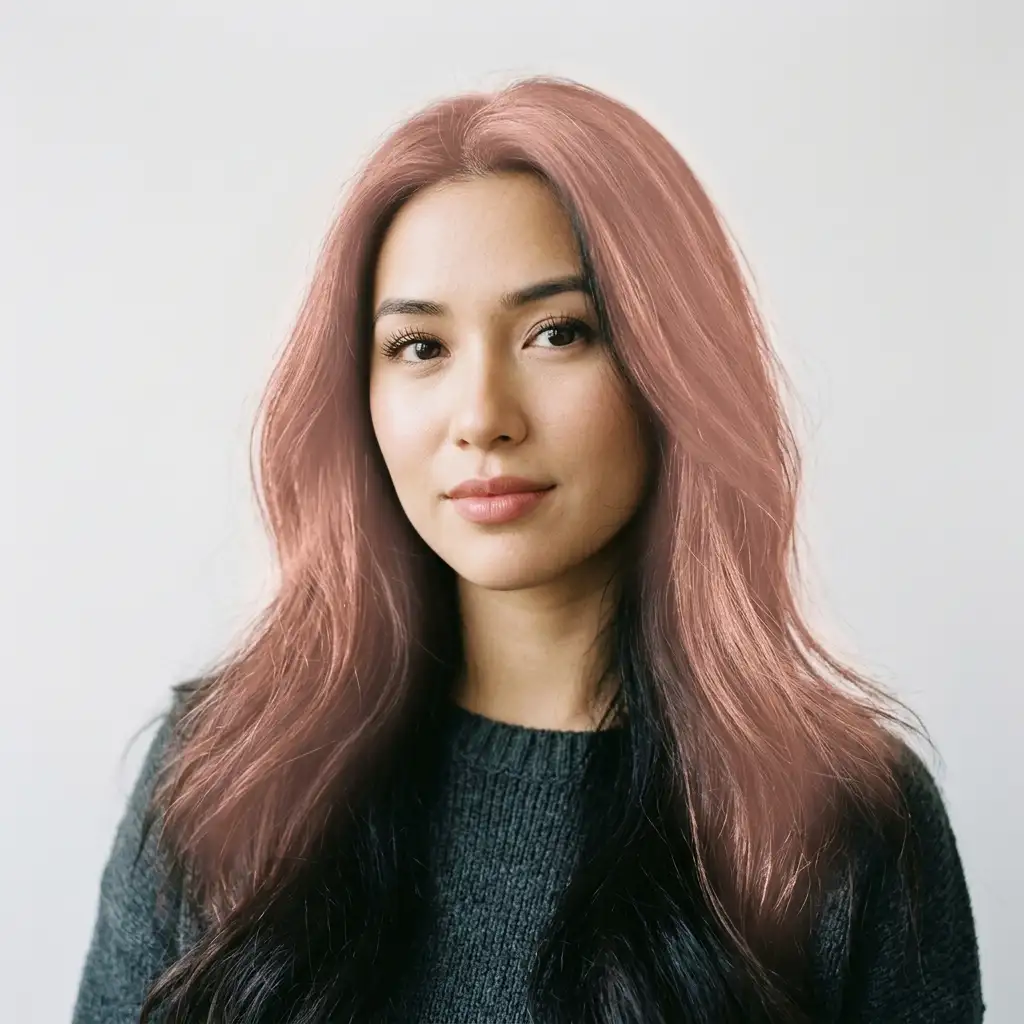
Automatic Hair Detection That Catches Every Strand
The number-one frustration with basic color-filter tools is dye bleeding onto skin, ears, or clothing—it immediately breaks the illusion and makes the result useless for any real decision. Pixlio's AI hair color changer automatically segments your hair region before generating the preview, and it also includes a simple add-or-remove refine control so you can manually fix missed edges, loose strands around the face, or areas where the mask picked up too much background. Long hair, curly texture, braids, updos—whatever your hairstyle, adjust the mask and regenerate until the coverage looks right. This focused refine step is what separates a decision-quality preview from a novelty snapshot you would never feel confident showing to a stylist or sending to a friend.
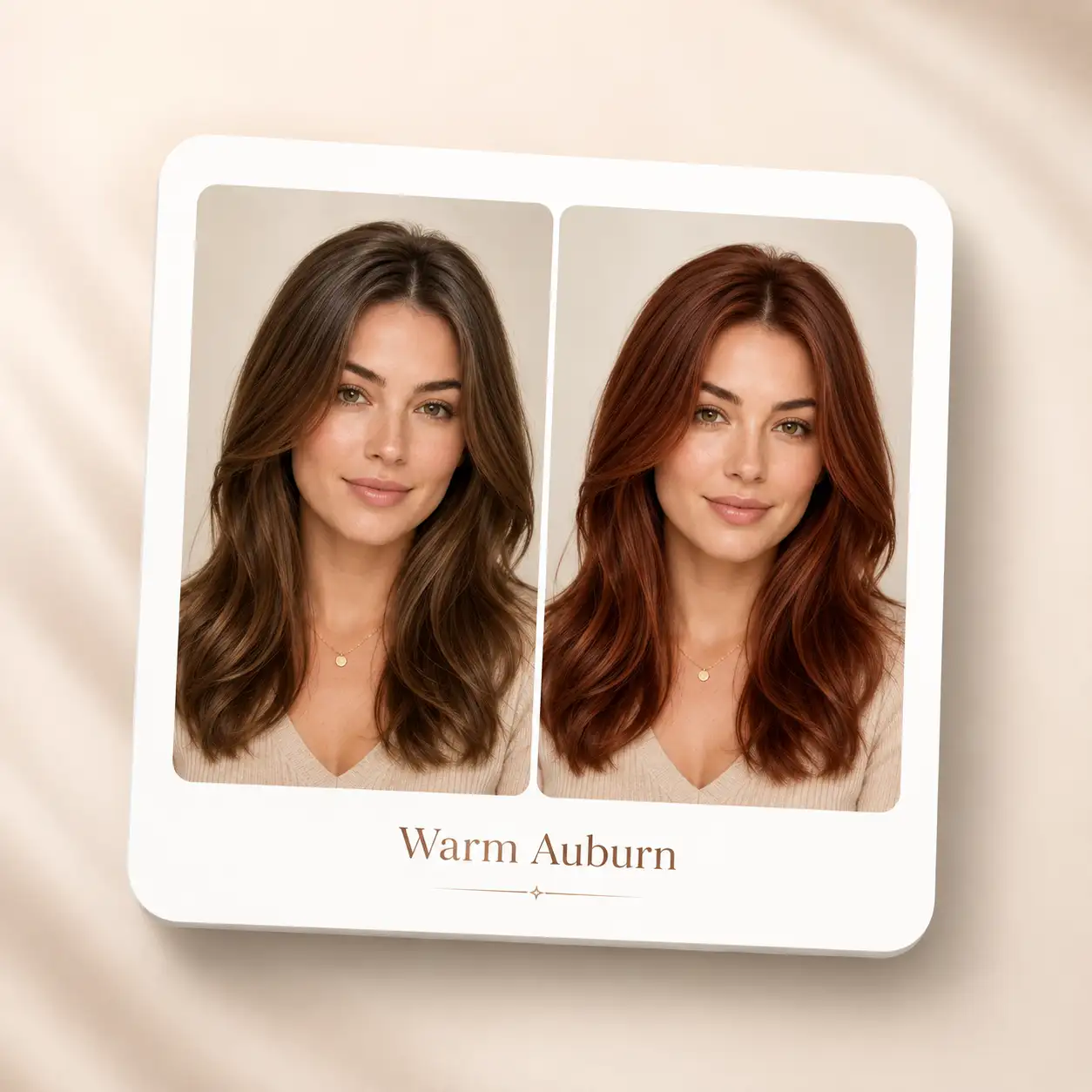
Export a Decision Card to Share with Your Stylist or Friends
A phone screenshot from a filter is not a great reference to bring to a salon—it is low quality, has no context, and the stylist has no idea what shade you were going for. Pixlio's AI hair color changer exports a clean decision card that places your original photo next to the color preview, labels the shade you selected, and includes a practical reminder that final results depend on your current color, condition, and the process used. Download the card to your device or share it directly with friends for a second opinion before you book. Stylists appreciate having a clear, labeled reference instead of a vague verbal description or a random celebrity screenshot from social media, and the built-in disclaimer keeps expectations realistic for everyone involved.
How to Try On Hair Color Online with Pixlio in 3 Steps
No design skills, no complex prompts, no app downloads required. You can preview a new shade on your own photo in under a minute, straight from your browser on any device.
Who Benefits from a Virtual Hair Color Try On?
Whether you are debating between two warm tones or exploring a dramatic change for the first time, Pixlio gives you a realistic reference point before you spend money or sit in a salon chair. Each of these scenarios is easier to navigate when you have a trustworthy preview to start from.
Get Confidence Before Your Salon Appointment
Walking into a salon with a vague description of what you want—warm but not too warm, maybe coppery but not orange—often leads to miscommunication and sometimes an expensive result you did not expect. Try on hair color using your own photo, then share the decision card with your stylist so you are both looking at the same visual reference instead of trying to decode adjectives. It replaces guesswork with a clear starting point for the consultation, helps the stylist understand exactly what direction you are going for, and saves time during the appointment itself because you have already narrowed down your options at home.
Explore Multiple Shade Directions Quickly
Curious about auburn but also tempted by silver? Try on hair color with one shade, evaluate it carefully against your natural coloring, then switch to a different shade family and generate again. Because each run produces a single focused result, you can explore several directions without overwhelming comparison grids or confusing batch outputs where every thumbnail looks the same at a glance. Take your time with each shade before moving on to the next one.
Share a Visual Reference with Friends and Family
Asking friends whether a color suits you works much better when they can see it on your face, not on a stock model from a beauty brand. The exportable decision card includes your original photo and the preview side by side—ready to drop into a group chat, DM, or text thread for instant reactions. Friends and family can give honest, informed feedback because they are reacting to your actual appearance with the new shade applied, not an abstract swatch or a celebrity reference photo that looks nothing like your natural coloring.
Create Content for Beauty and Fashion Posts
Beauty bloggers, hairstylists, and fashion creators can try on hair color to showcase trending shades on real faces without requiring a model or an actual dye job for every piece of content. Generate before-and-after previews for social carousels, thumbnail images, or educational posts about seasonal color trends. The decision card format is especially useful for side-by-side comparison content that performs well on Instagram and TikTok. Stylists can also use it during consultations to show clients how a proposed shade would look on their actual hair before picking up a brush.
Your Hair Color Preview Questions, Answered
What is an AI hair color changer?
It is a web-based tool that takes your selfie or portrait and generates a realistic preview of how a new shade would look on you. Unlike simple filter overlays that tint everything uniformly—including your skin, ears, and clothing—Pixlio detects the hair region in your photo, preserves your face, lighting, skin tone, and hairstyle, then applies only the chosen color to the hair itself. The goal is a result that is trustworthy enough to base a real dyeing decision on, share with a stylist, or show to friends for their honest opinion—not merely something interesting enough to post once and forget about.
Is this tool free to try?
Yes. Pixlio offers free credits when you sign up, so you can generate your first preview right away and see the quality for yourself. Any credit cost or generation limits are clearly shown before you start generating, so there are no surprise charges or hidden paywalls. Additional credits are available for users who want to explore more shades, compare multiple directions, or export several decision cards for different color options.
What photo formats and tips give the best results?
Pixlio accepts JPG, PNG, and WebP uploads. For the most accurate hair detection and color preview, use a clear, well-lit selfie or portrait where your hair is fully visible. Avoid heavy hats, hoods, or accessories that hide portions of your hair, and choose a photo with a front-facing or three-quarter angle. Natural lighting produces the most realistic shade match.
How realistic are the generated previews?
Pixlio's AI hair color changer is built around trust, not novelty. The tool segments your hair, preserves your facial features and hairstyle, and applies the chosen shade with attention to strand coverage and natural variation in a way that looks plausible on your actual photo. That said, final salon results always depend on your current hair color, hair condition, lighting conditions during the appointment, and the specific process your stylist uses. No digital preview—from any tool—can guarantee an exact dye match, and Pixlio includes that important context with every exported decision card so expectations stay grounded for both you and your stylist.
Can I preview multiple shades in one session?
Absolutely. Each generation produces one focused preview so you can evaluate it clearly without distraction. To compare a different shade, simply choose another shade family or enter a custom color and generate again. This one-at-a-time approach keeps each result fast, high-quality, and easy to judge—rather than overwhelming you with a wall of tiny thumbnails where every option blurs together. Most users find that generating two or three variations in sequence is the most effective way to narrow down their preference before making a final decision.
Does it work well on very dark or black hair?
Yes, you can preview lighter shades on dark hair. Keep in mind that dramatic dark-to-light changes—like going from jet black to platinum blonde—may look visually appealing in the preview but can be difficult or impossible to achieve in a single salon session without bleaching and toning. The tool helps you explore the direction and get a sense of the overall aesthetic, and your stylist can then advise on what is realistically achievable for your specific starting color, hair condition, and the number of sessions required to get there safely.
More AI Image Tools
Explore our collection of AI-powered image tools designed for different creative needs and styles






























Ready to See Your Next Hair Color?
Upload a selfie, pick a shade family or enter your own custom color, and let Pixlio's AI hair color changer show you a realistic preview before you commit. No downloads, no guesswork—just a clear before-and-after comparison to help you decide with confidence and share a decision card with anyone whose opinion matters.
Disclaimer: AI-generated previews are approximations intended to help you explore and compare color options before committing. Final dye results always depend on your current starting color, overall hair condition, salon lighting, and the specific process your stylist uses. Pixlio does not provide professional dye formulas, bleach-volume recommendations, or medical hair advice. Always consult a licensed professional before making significant changes to your hair.