 Pixlio AI
Use the tool to convert your photo into a clean PNG silhouette.
Result
Generated image appears here. You can download once ready.
Create a Clean Silhouette with Our Silhouette Maker
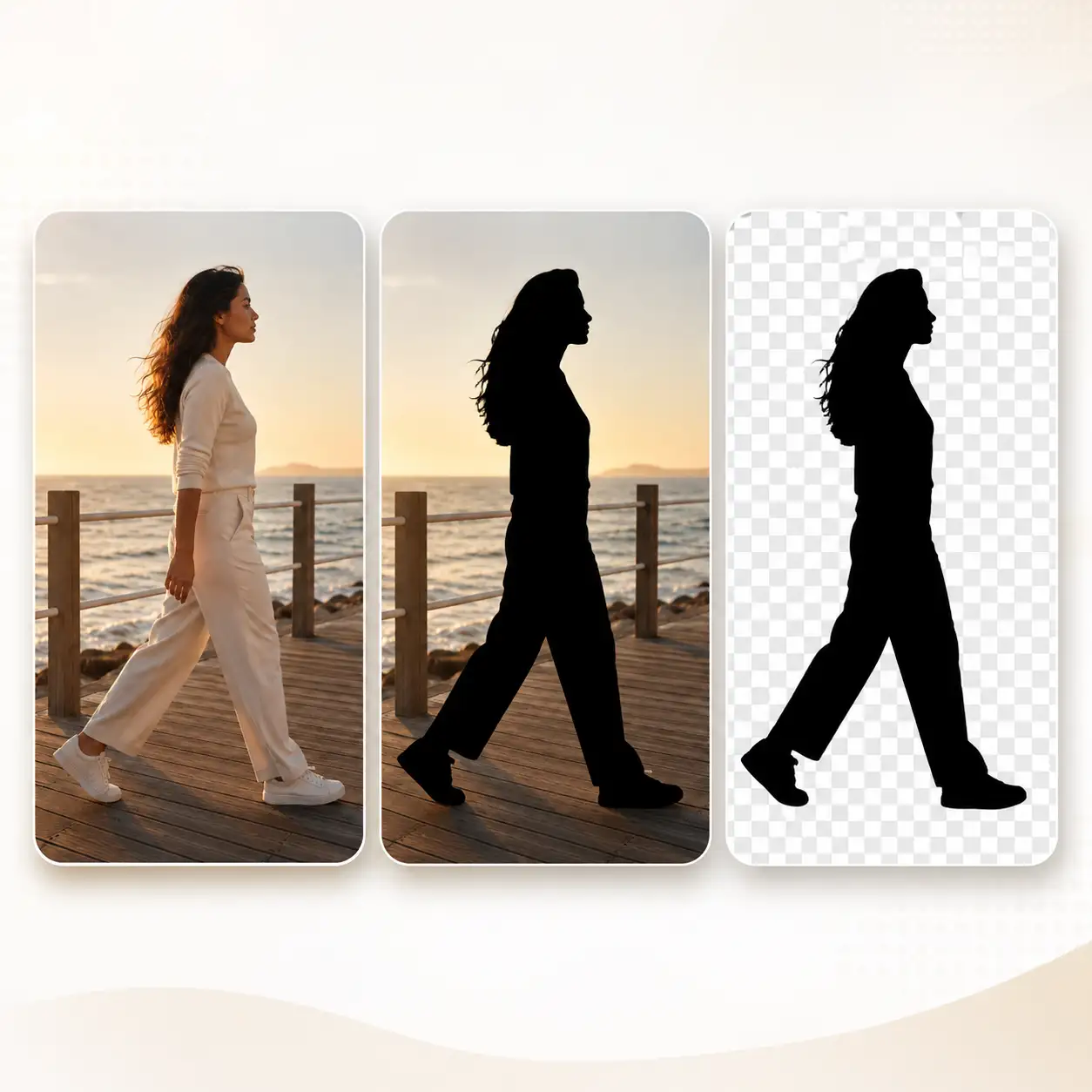
Need a clean silhouette of a person, pet, or object without tracing it by hand or learning complex editing software? Pixlio's silhouette maker automatically detects the subject in your photo and fills it with a solid color—giving you a download-ready PNG instantly. Choose your silhouette color, pick between a transparent background or the original photo setting, and convert photo to silhouette without any design skills.
Pixlio's Silhouette Maker Delivers Clean, Accurate Results
Most free silhouette tools ask you to trace edges manually or produce jagged, unusable shapes. Pixlio's silhouette maker uses AI subject detection and browser-side compositing to preserve every contour of your original photo—so the result is a crisp, recognizable silhouette you can actually use.

One-Click Subject Detection Converts Any Photo into a Silhouette
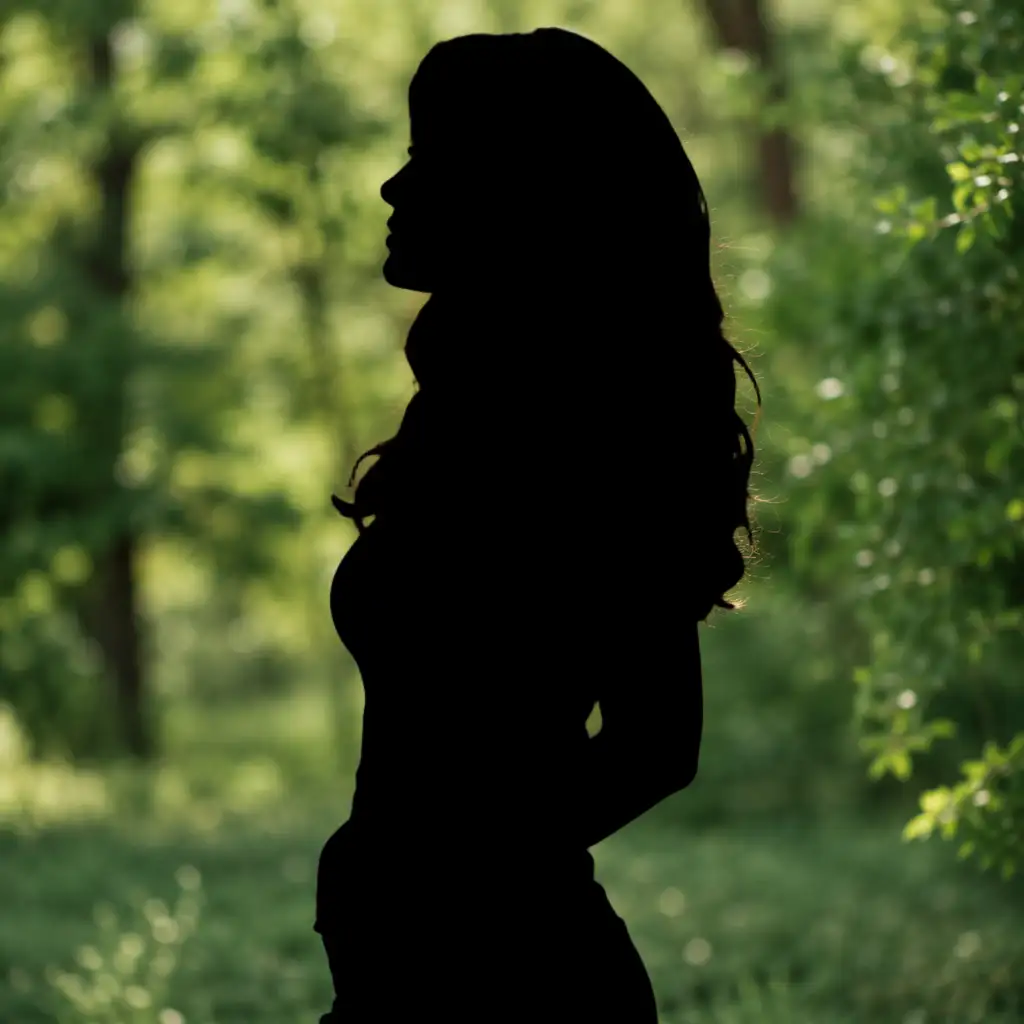
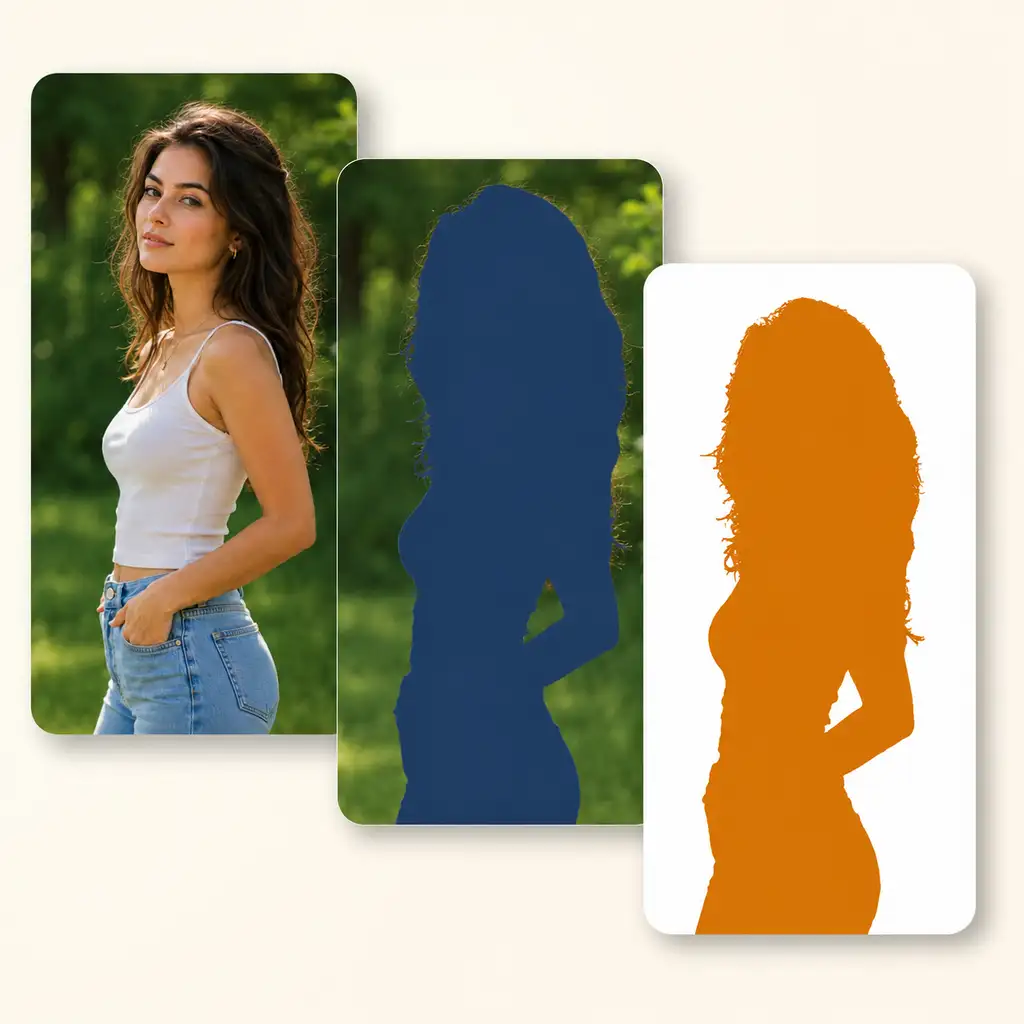
You have a portrait of your dog, a family photo from vacation, or a product shot you need as a simple shape—but you do not want to spend twenty minutes with a lasso tool tracing the outline. Pixlio's silhouette maker lets you convert photo to silhouette by running your image through AI-powered subject detection that isolates the foreground automatically. The detected shape keeps the original pose, hair detail, and contour intact, then fills it with a solid color. You get a usable silhouette in seconds instead of a rough manual cutout.
Pick Any Custom Color to Match Your Silhouette to Your Project
A black silhouette works for most uses, but sometimes your project calls for a specific brand color, a white cutout on a dark poster, or a pastel shape for a nursery print. The silhouette maker lets you choose any custom color before you download. The entire foreground shape fills with your selected color while keeping crisp edges—so you skip the extra step of recoloring in another editor.
Choose Transparent or Original Background for Your Silhouette Output
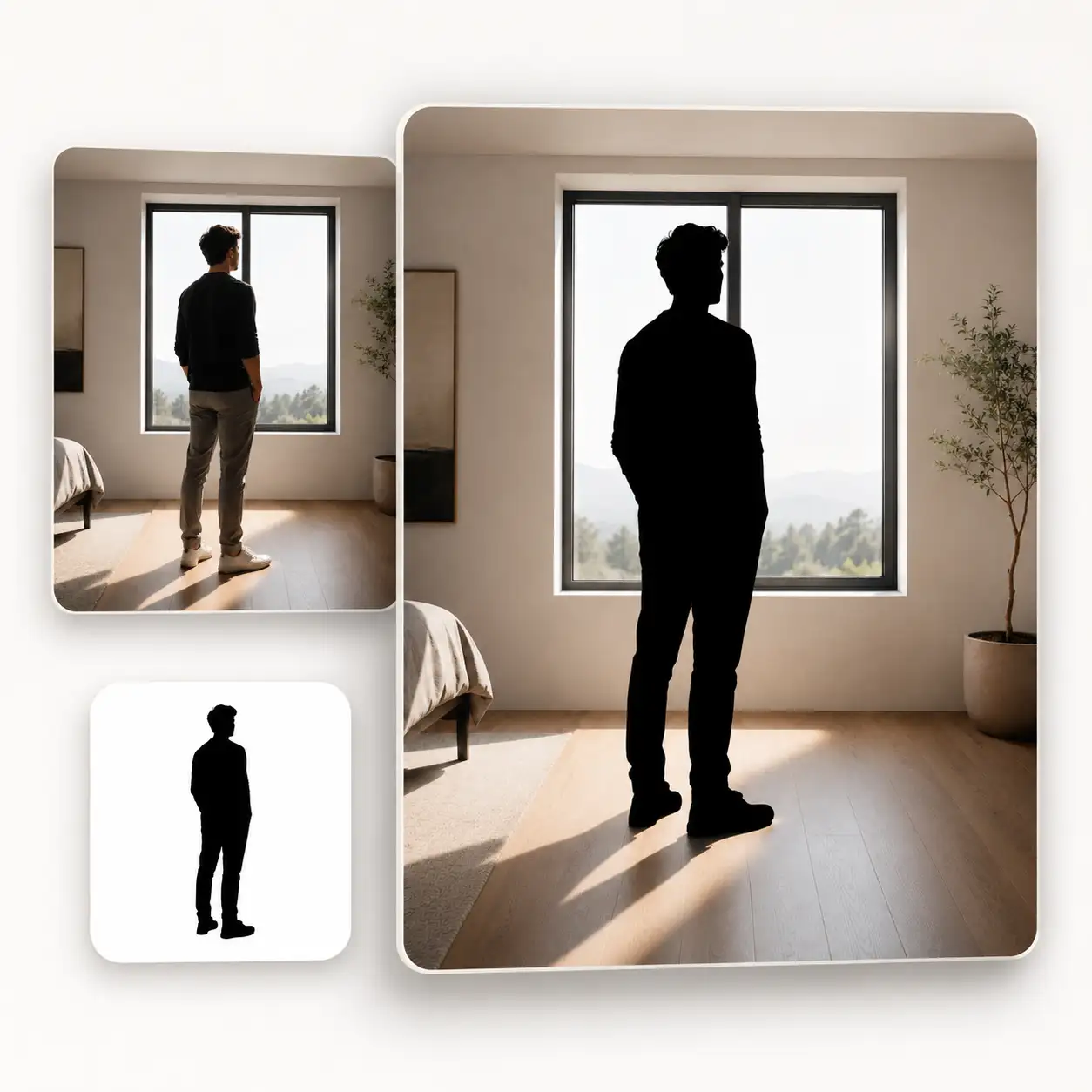
Sometimes you need a transparent PNG you can layer into a card, sticker sheet, or slide deck. Other times you want the silhouetted subject placed back over the original photo scene for a dramatic poster effect. Pixlio's silhouette maker offers both modes: Transparent Silhouette exports the colored shape on a clear background, while Keep Original Background preserves the photo setting behind the silhouetted figure. One upload, two ready-to-use output styles.
Preview Your Silhouette on Multiple Backgrounds Before Downloading
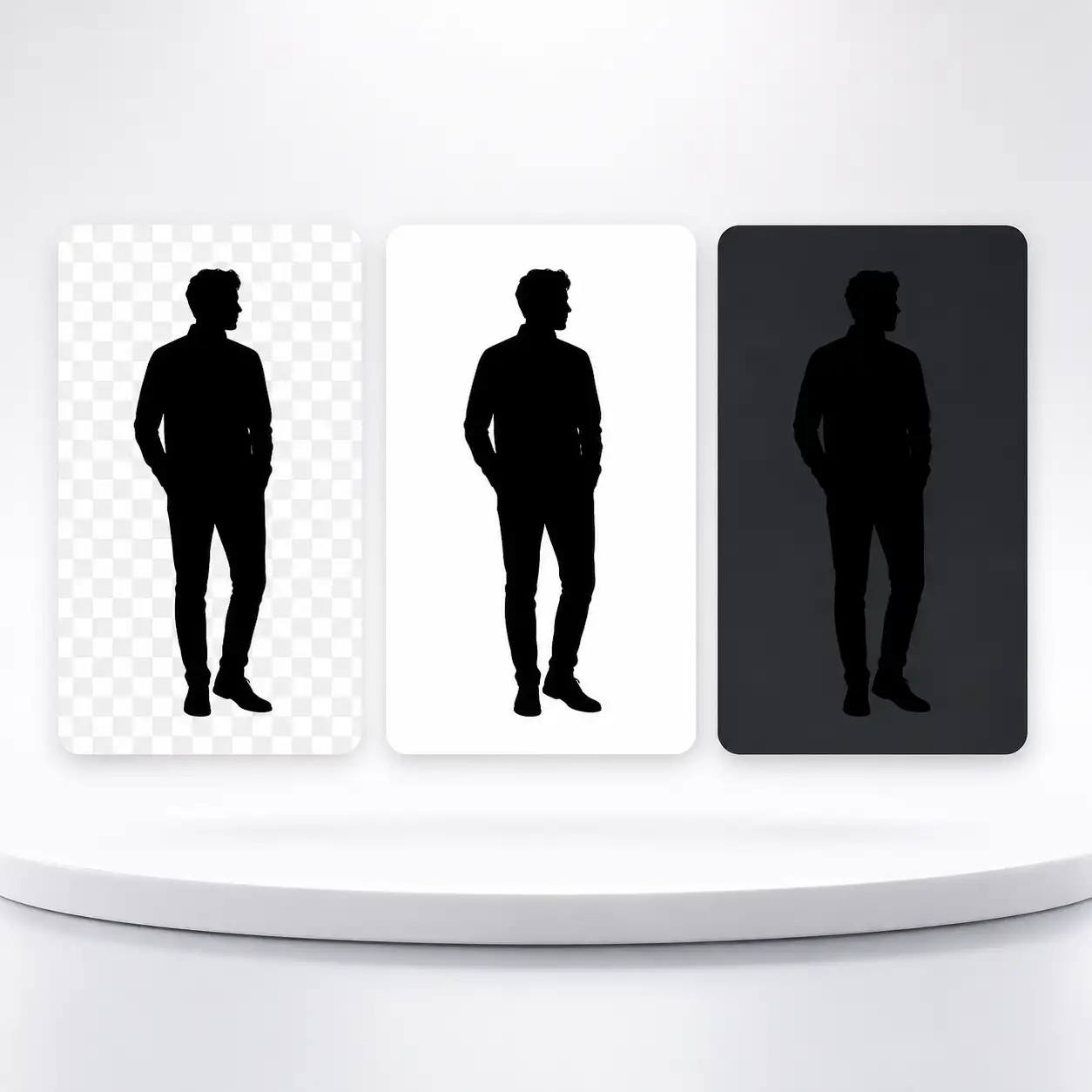
A silhouette can look perfect on white but show rough edges on dark surfaces. Before you commit to a download, Pixlio lets you preview the result on checkerboard, white, and dark backgrounds. This inspection step helps you catch edge artifacts and confirm transparency without opening a separate image editor. The preview background is display-only and never changes your exported PNG file.
How to Use Our Silhouette Maker in 3 Simple Steps
Creating a silhouette from your own photo takes less than a minute. No tracing, no complex software—just upload, customize, and download.
People Who Find Our Silhouette Maker Useful
From crafters preparing print-ready shapes to designers mocking up layouts, Pixlio's silhouette maker serves anyone who needs a clean, solid-color shape from a personal photo—without a multi-tool workflow.
Create Craft-Ready Silhouettes for Print and DIY Projects
Gift makers, students, and hobbyists use the silhouette maker to turn personal photos into solid-color shapes for greeting cards, wall prints, iron-on transfers, sticker mockups, and scrapbook pages. Upload a portrait or pet photo, choose your color, and download a transparent PNG ready to place into any print template—no vector editor needed for the initial shape.
Build Design Mockups Faster by Converting Photos to Silhouettes
Designers and marketers often need a fast placeholder or one-color raster asset for slide decks, social posts, or packaging drafts. Convert photo to silhouette in seconds and drop the PNG straight into Figma, Canva, or PowerPoint. The transparent background means no extra masking work when you composite the shape into your layout.
Stand Out on Social Media with a Minimalist Silhouette Profile
A clean silhouette makes a striking profile picture or banner image. Use the silhouette maker to turn your selfie or logo into a bold, single-color avatar that stands out in crowded feeds. The Keep Original Background mode is especially useful for atmospheric cover images where you want the subject darkened against the original scene.
Preserve Meaningful Moments as Timeless Silhouette Keepsakes
Parents, pet owners, and families convert photo to silhouette to preserve meaningful moments in a timeless style. Upload a photo of a child, pet, or loved one and the silhouette maker captures the contour faithfully—keeping the pose, hair, and profile intact. The result works as framed wall art, custom engraving reference, or a heartfelt digital keepsake.
Silhouette Maker Frequently Asked Questions
What is a silhouette maker?
A silhouette maker is a tool that converts photo into silhouette, which is solid-color outline of the subject. Pixlio silhouette maker uses automatic subject detection to identify the foreground in your image, then fills it with your chosen color and exports a clean PNG—no manual tracing or editing software required.
Is Pixlio's silhouette maker free to try?
Yes. Pixlio offers free credits when you sign up, so you can convert photo to silhouette right away. Pro and Max subscribers generate silhouettes at no additional credit cost.
What photo formats does the silhouette maker accept?
Pixlio's silhouette maker accepts JPG, JPEG, PNG, and WebP uploads up to 15 MB. For the cleanest results, use a well-lit photo where the subject is clearly separated from the background.
How does the tool convert photo to silhouette?
The tool sends your image through an AI-powered subject-detection model that isolates the foreground. The detected shape is then filled with your selected silhouette color entirely in the browser, preserving the original pose and contour without any generative editing.
Can I change the silhouette color?
Yes. The default silhouette color is black, but you can pick any custom color before downloading. The color applies to the entire foreground shape, giving you a clean single-color result ready for print, craft, or digital use.
What output modes does the silhouette maker offer?
Two modes are available. Transparent Silhouette places the colored shape on a transparent background—ideal for compositing into other designs. Keep Original Background preserves the photo's scene behind the silhouetted subject, which works well for posters and artistic prints.
More AI Image Tools
Explore our collection of AI-powered image tools designed for different creative needs and styles