 Pixlio AI
How to Turn Picture Into Embroidery Pattern
Embroidery has experienced a remarkable revival in recent years, with crafters and designers rediscovering the timeless appeal of stitched artwork. Whether you're creating custom patches for apparel, designing cross-stitch patterns, or exploring decorative hoop art, the journey often begins with a simple question: how do you turn picture into embroidery pattern? Traditional methods required painstaking manual digitization, tracing, and color reduction—a process that could take hours or even days. Today, AI-powered tools have revolutionized this workflow, making it possible to turn picture into embroidery pattern in minutes while maintaining the artistic quality and stitch-aware details that make embroidery special.
Understanding Embroidery Pattern Conversion
Before you turn picture into embroidery pattern, it's helpful to understand what makes a good embroidery design. Unlike regular photographs, embroidery patterns need clear outlines, simplified color palettes, and stitch-aware composition. Traditional embroidery digitizers manually trace images, reduce colors to manageable thread counts, and plan stitch directions—skills that take years to master. The challenge of converting photos to embroidery has always been balancing artistic fidelity with the practical constraints of needle and thread.
Modern AI approaches to turn picture into embroidery pattern solve this problem by understanding both the visual content of your image and the technical requirements of embroidery. These tools analyze your photo's composition, automatically simplify complex color gradients into distinct thread colors, and generate stitch patterns that work in the real world. The result is a design that looks authentic and remains practical for actual stitching projects.
Creating Original Designs with Text-to-Embroidery
Sometimes you don't have a reference photo at all—you just have an idea. Text-to-embroidery generation allows you to describe your vision in words and receive a complete embroidery-style design. This approach is perfect for creating original patches, badges, and decorative motifs without needing source imagery. Simply describe what you want, including details about the subject, style, and composition.
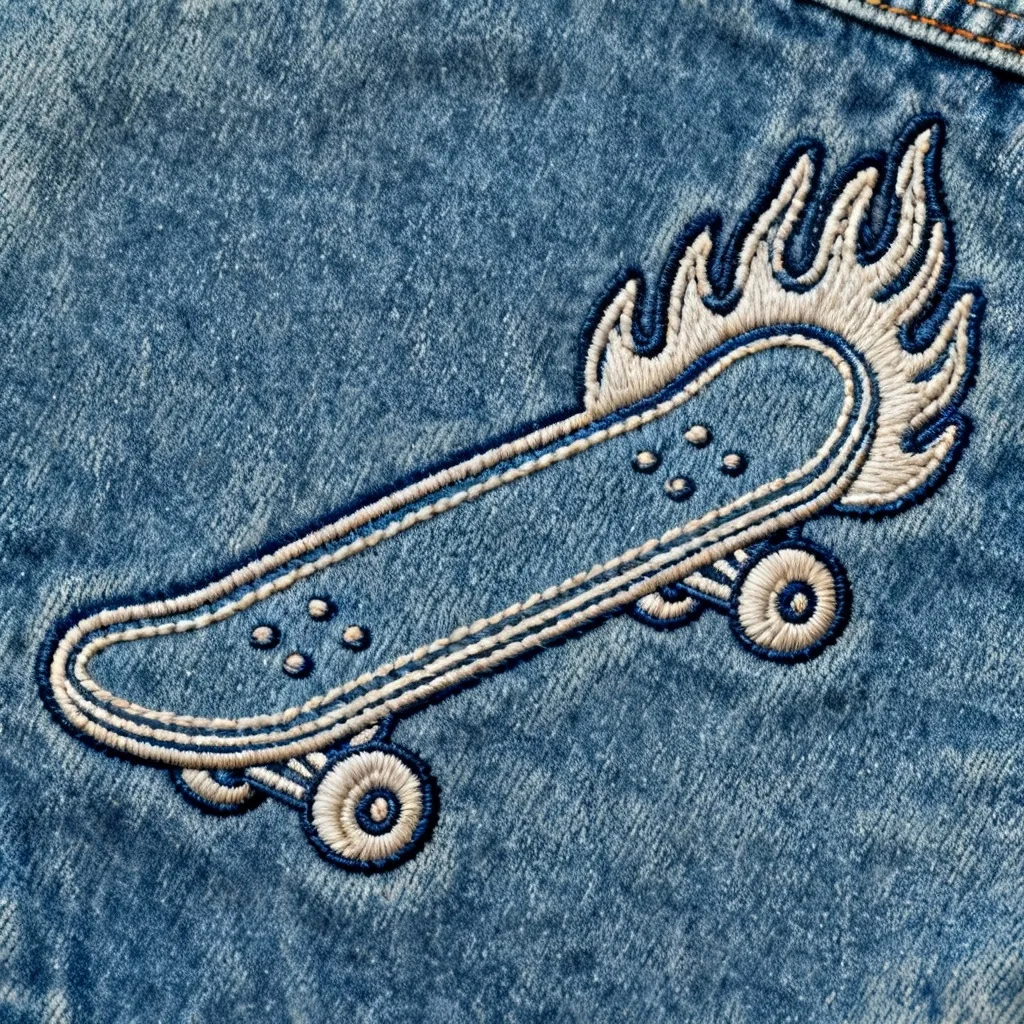
Generated from the prompt: "Retro skateboard with flames, embroidered patch for a denim jacket."
The example above was generated from a simple text prompt: "Retro skateboard with flames, embroidered patch for a denim jacket." The AI understood the retro aesthetic, created bold outlines suitable for patch construction, and delivered a design ready for digitizing. This text-to-embroidery workflow is ideal when you want to explore concepts quickly or need completely original designs that don't exist as photos.
How to Turn Picture Into Embroidery Pattern with AI
The most common workflow is image-to-embroidery conversion, where you upload an existing photo and transform it into stitch-ready artwork. This is where AI truly shines—taking the complexity of a photograph and reimagining it through the lens of embroidery techniques. When you turn picture into embroidery pattern using AI, the tool analyzes your image's subject, colors, textures, and composition, then reconstructs it with embroidery-appropriate details like thread groupings, stitch directions, and simplified color palettes.

Original Photo

Embroidery Pattern
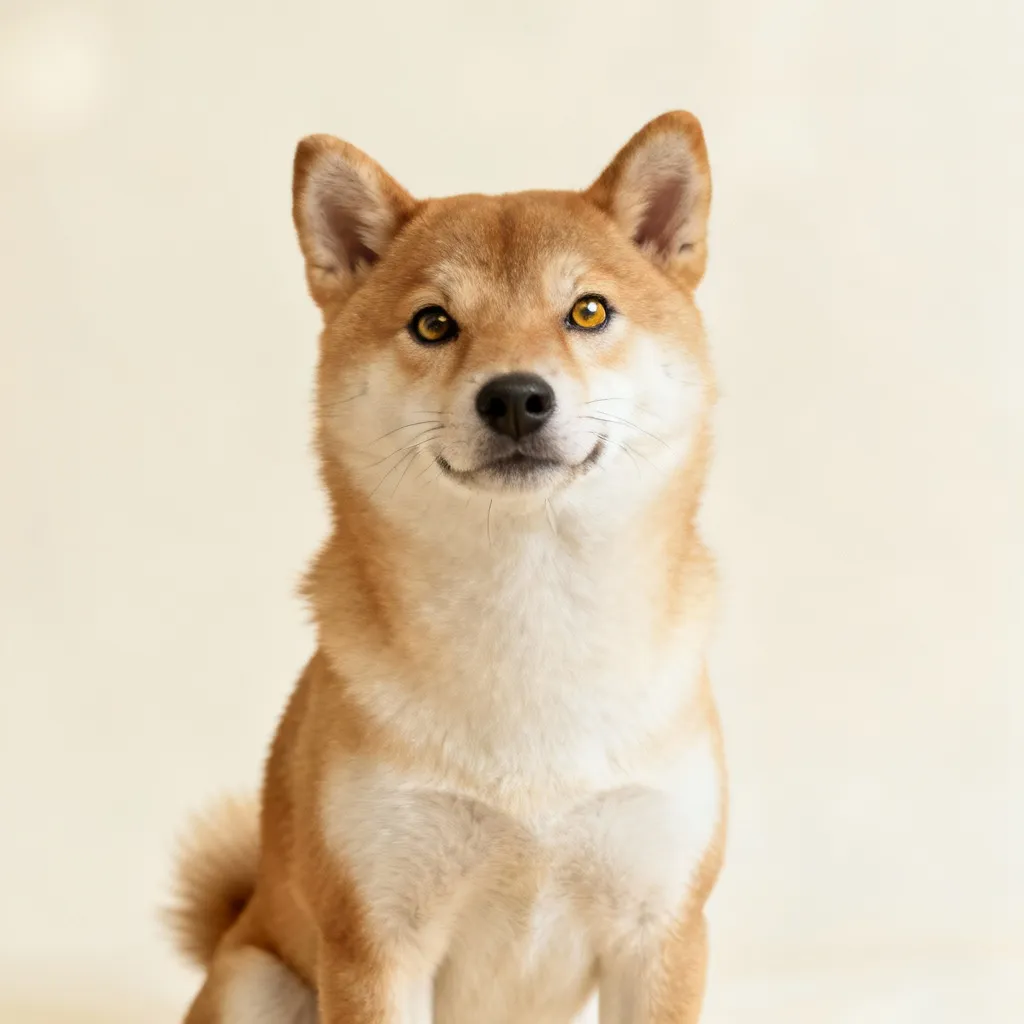
Notice how the converted pattern maintains the essence of the original photograph while introducing embroidery-specific characteristics: distinct thread colors instead of smooth gradients, visible stitch texture, and clearer separation between elements. This transformation is what makes it possible to turn picture into embroidery pattern that actually works for real stitching projects.
Original Photo

Embroidery Pattern
The Shiba Inu example demonstrates how portrait-style photos can be transformed into embroidery patterns. The AI preserves the dog's expression and pose while adapting textures like fur into stitch-appropriate details. When you're ready to turn picture into embroidery pattern for your own projects, you can use Pixlio's AI embroidery generator with any JPG, JPEG, PNG, or WebP file up to 10MB in size. The tool accepts drag-and-drop uploads and provides instant previews of your converted design.
The process to turn picture into embroidery pattern is straightforward: upload your reference image, select your preferred embroidery style and color palette, and generate your pattern. Within moments, you'll receive a downloadable design that captures your original photo's character while being optimized for embroidery techniques.
Customization Options for Your Embroidery Patterns
When you turn picture into embroidery pattern with AI tools, you're not locked into a single interpretation. Modern generators offer extensive customization to match your specific project needs. You can choose between embroidery styles like cross-stitch for pixel-style patterns, patch/badge style for bold silhouettes perfect for apparel, outline/linework for minimal designs, or satin fill for smooth logo-style artwork.
Aspect ratio options let you frame your design appropriately—square layouts work well for badges and social media, portrait orientations suit vertical hoop art and apparel placements, while landscape ratios are ideal for banners and wide compositions. Color palette controls are particularly important when you turn picture into embroidery pattern for production: monochrome patterns minimize thread costs and complexity, limited 2-3 color palettes keep designs manageable, while pastel or vivid options let you explore more expressive artistic directions.
These controls ensure that whether you're preparing patterns for commercial embroidery machines or planning hand-stitched projects, you can turn picture into embroidery pattern with results tailored to your workflow and aesthetic preferences.
Start Creating Your Embroidery Patterns Today
The ability to turn picture into embroidery pattern has never been more accessible. What once required specialized software and expert digitization skills is now available to anyone with a photo and an idea. AI-powered tools handle the technical complexity while giving you creative control over style, colors, and composition. Whether you're designing patches for a clothing line, creating personalized gifts, or exploring embroidery as an art form, converting your photos to stitch-ready patterns is now as simple as a few clicks.
Ready to transform your images? Try Pixlio's AI embroidery generator and discover how quickly you can turn picture into embroidery pattern for your next creative project.